Mirror Garden — Free Kids Symmetry Game
Paint matching mosaic tiles to complete each crystal mirror picture.
About Mirror Garden
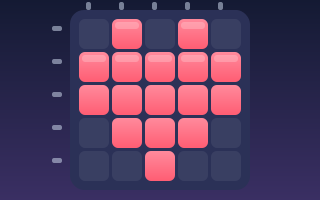
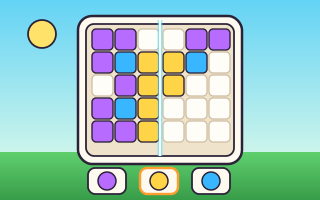
Mirror Garden invites young artists to join Pippa Bunny for twelve sparkling symmetry puzzles. The left half of each wooden mosaic frame arrives already painted with colorful jewel tiles, divided right down the middle by a shimmering crystal mirror line.
Pick a watercolor pot from the palette and tap or drag across the blank right side to mirror every square in reverse. Early puzzles feature gentle six-by-six hearts and butterflies, while later gardens expand to eight-by-eight rockets, castles, owls, and ladybugs.
How to play
- Study the pre-painted jewel tiles on the left side of the crystal mirror.
- Choose a matching color pot (or Eraser) from the palette at the bottom.
- Tap or drag across the right half to paint the exact mirror reflection.
- Match all 12 mosaic pictures before losing your three hearts on Check.
Controls
- Keyboard & mouse
- Keys 1–5 pick colors · Arrows move · Space paints · Shift for Hint
- Touch screen
- Tap a color pot · Tap or drag tiles on the right half
Tips and tricks
- Count squares outward from the crystal center line to place edges cleanly.
- Tap any left-side tile to highlight where its mirror partner belongs.
Mirror Garden: frequently asked questions
How does Mirror Garden teach symmetry?
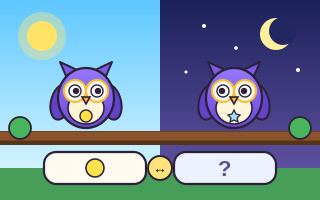
The left side of each garden mosaic shows half of an illustrated picture, and children paint the matching reflection across the center crystal mirror line.
Can players drag to paint and get hints?
Yes. Kids can tap or drag across cells on touch screens or computers, use an eraser pot to fix slips, or tap Hint to highlight a tile needing attention.