Shape Builder — Free Kids Tangram Game
Snap and rotate wooden tangram shapes to craft twelve fun pictures!
About Shape Builder
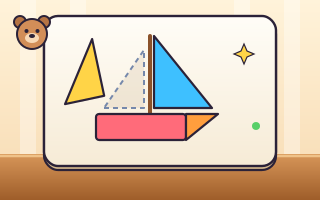
Join Milo Bear at the craft table and turn bright wooden triangles, squares, circles, diamonds, and semicircles into charming storybook pictures! Each level shows a pale dashed blueprint on the craft mat—pick a piece from the wooden tray and snap it right into its matching outline.
The first six puzzles—Sailboat, House, Rocket, Pine Tree, Fish, and Crown—are ready to place straight away. Puzzles seven through twelve introduce a chunky Rotate button so you can turn pieces 90 degrees at a time to build a Truck, Cat, Windmill, Castle, Butterfly, and Train!
How to play
- Drag a colorful wooden shape from the tray onto the dashed blueprint, or tap a piece then tap its spot.
- On levels 7 to 12, tap Rotate (or press R or Space) to turn the selected shape before placing it.
- Tap Hint any time if you want Milo Bear to place a helpful piece for you.
- Complete all 12 wooden picture puzzles before losing all 5 hearts.
Controls
- Keyboard & mouse
- 1–6 pick piece · R/Space rotate · Arrows move target · Enter place
- Touch screen
- Drag shapes onto blueprint or tap piece + slot · Tap Rotate
Tips and tricks
- Look for the biggest anchor shape first, like a boat hull or house roof, to frame the whole picture.
- Square and circle blocks match at any rotation, while right triangles only fit one exact angle.
- A piece that needs rotating bounces gently with no heart lost—just give it a spin!
Shape Builder: frequently asked questions
How do kids place and rotate pieces in Shape Builder?
Players can either drag wooden geometric blocks straight onto the blueprint or tap a tray piece and then tap its dashed spot. Later blueprints add a 90-degree Rotate button.
How many blueprints are in Shape Builder?
There are twelve handcrafted picture puzzles—from a sailboat and house to a rocket, windmill, castle, and train—plus a Hint button whenever help is needed.