Robo Swarm — Free Joystick Arena Shooter
Weave with the joystick, auto-blast alien swarms, dash and unleash EMP novas.
About Robo Swarm
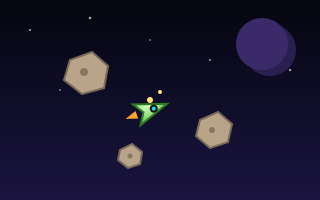
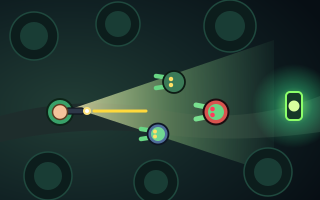
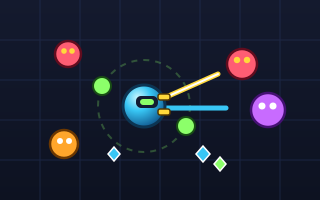
Robo Swarm puts you in command of a nimble hover-mech surrounded by waves of glowing alien bugs, plasma drones and armored splitters. Steer smoothly in 360 degrees with the joystick while your dual blasters automatically lock onto the closest threats.
Scoop up magnetically pulled energy crystals to level up your firepower, grab arena weapon pods for spread shots, orbiting laser blades or chain lightning, and trigger an EMP Nova to clear bullets and swarmers at once. Survive boss waves and chase a new high score right in your browser.
How to play
- Move your hover-mech smoothly in any direction using the joystick, WASD, arrow keys or a gamepad.
- Your twin turret locks on and fires automatically—focus on dodging enemies and glowing plasma shots.
- Press Dash to phase right through tight swarms or bullet rings without taking damage.
- Collect energy gems and weapon pods to upgrade your mech, and trigger Nova when charged to blast the arena.
Controls
- Keyboard & mouse
- WASD / Arrows / Gamepad to move · Space to Dash · Shift / X for EMP Nova
- Touch screen
- Left joystick to move · Dash & Nova buttons (or drag on screen)
Tips and tricks
- Keep moving in wide loops around the hangar so swarm bugs bunch up behind you instead of boxing you in.
- Grab Orbiting Blades pods early—they slice fast bugs that slip past your blaster shots.
- Save your EMP Nova for boss bullet rings: it erases enemy plasma orbs while damaging every bug nearby.
Robo Swarm: frequently asked questions
Do I need to aim manually in Robo Swarm?
No. Your hover-mech's twin turret locks onto the closest alien enemy automatically so you can focus on dodging swarms, dashing and collecting upgrades.
What weapon upgrades can drop in the arena?
Glowing pods grant Triple Shot spread fire, Orbiting Laser Blades, Arc Zapper chain lightning and Repair kits that restore two hearts.
Does Robo Swarm work with a controller or touch joystick?
Yes. Use the on-screen thumbstick on touch screens, WASD or arrow keys on a computer, or a connected USB or Bluetooth gamepad.